Take dealer orders without the phone calls
Dealers sign in on your own site, see their own prices and order. You approve, invoice, ship and track what you are owed.
What it does
Business and above.
A login for every dealer
Dealers sign up on your site and you approve them. They see only their own orders, invoices and prices.
Price lists per dealer
Give a dealer or a group of dealers their own prices; the portal shows them when they sign in.
Quotes that become orders
Send a quote; when it is accepted it becomes an order at the quoted prices.
Orders, step by step
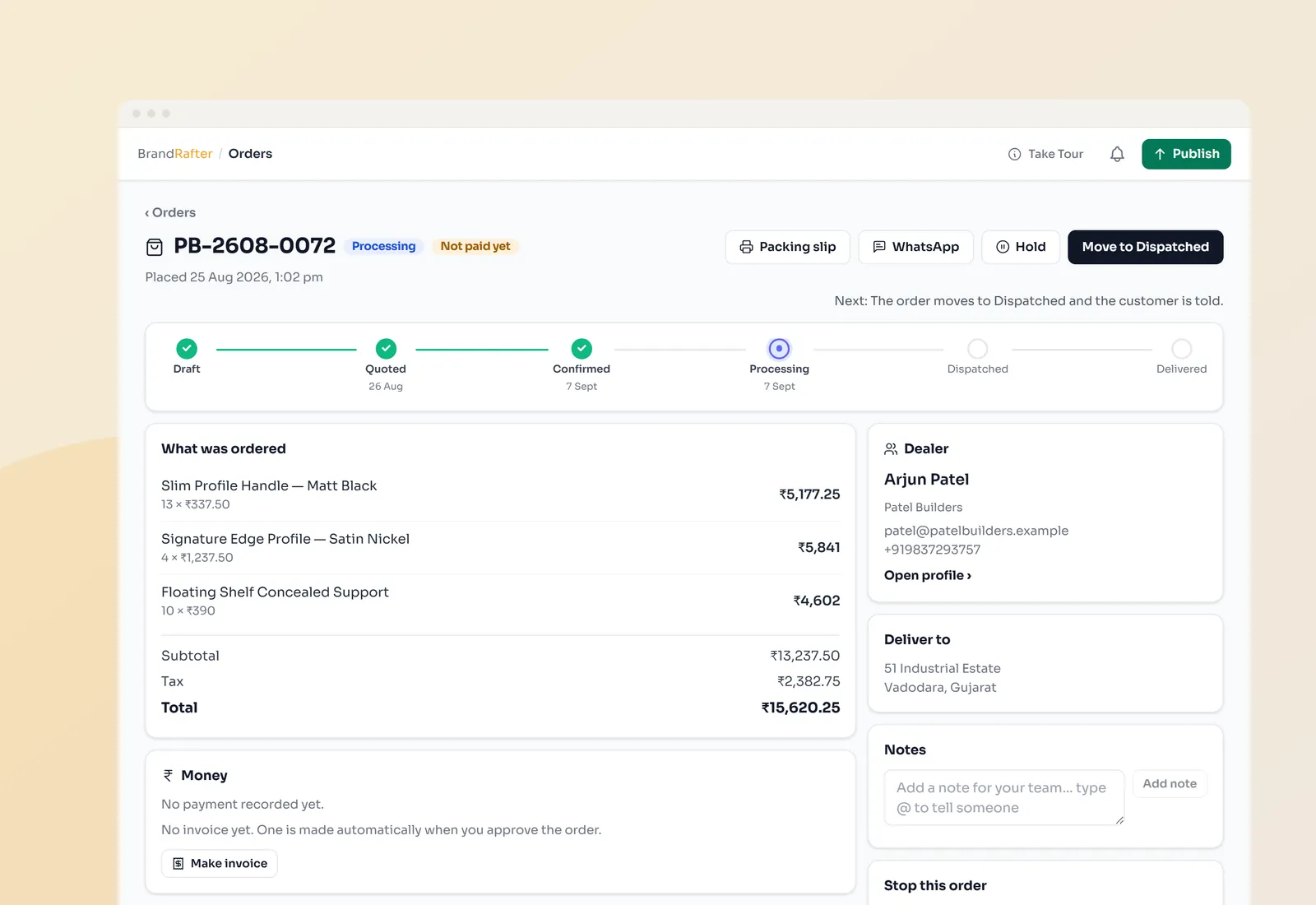
Approve, pack, ship and deliver — every order shows where it is and what is still owed.
GST invoices and payments
Invoices with GST worked out, payment links into your own Razorpay account and overdue invoices flagged.
Your team, with their own access
Add staff and choose what each person can see and do.
How it works
- 01
Dealers sign up
They apply on your site and you approve them.
- 02
They order
At their own prices, from your live catalogue.
- 03
You approve and ship
Invoice, pack, send and record the payment.
Questions
About dealer portal & crm.
Which plan do I need?
Business or Enterprise. The number of dealer accounts depends on the plan — see pricing.
Can dealers pay online?
Yes, through a payment link on the invoice. The money goes straight to your own Razorpay account.
Can I keep track of stock?
Yes. Stock goes down as orders are approved and you are warned when an item runs low.
Does it work for clinics, schools or firms?
Yes. The words follow your trade — an order can be an appointment, an enrolment or a matter.
See it on your own business
Pick a design and publish today. Switch on more as you grow.